


[advertisement]
Revolutions

November 3, 2025


Design Manufacturing Automation Mechatronics Motion Control Optimization Reliability Simulation System Design Software Revolutions

Siemens Discusses Designcenter Solid Edge with AI and Cloud-Driven Enhancements

Siemens Digital Industries Software has announced the latest updates to its Designcenter Solid Edge software, including new capabilities in AI and improvements in productivity, documentation and user experience. These updates will help design and engineering teams work faster, smarter and more collaboratively across on premise and cloud environments. This interview with Dan Staples, vice president of R&D, Mainstream Engineering at Siemens Digital Industries Software examines the latest enhancements to the software package.

What’s new with Designcenter Solid Edge and how does this factor into the wider Siemens’ Designcenter suite?

Dan Staples: Solid Edge has a new name - Designcenter Solid Edge 2026 - and that change signals something bigger. It’s now part of the Designcenter suite, which brings together NX and Solid Edge under one unified ecosystem. This suite is built on our Parasolid kernel and is designed to deliver performance, flexibility, and intelligent automation across the entire design process. This year’s release is all about adapting to how engineers work today. Whether they’re on the desktop, in the cloud, or somewhere in between, it supports hybrid workflows that are fast, secure, and collaborative.

There are several major themes in this release:

  • AI-powered productivity: From Magnetic Snap Assembly to automatic drawing generation and the new AI Copilot, artificial intelligence is now embedded directly into the tools engineers use every day.

  • Cloud-enabled flexibility: With Designcenter X Solid Edge, teams can work from anywhere, access designs in real time, and collaborate seamlessly across locations.

Share and save:


[advertisement]

Enhanced modeling and manufacturing tools: New features in part modeling and sheet metal design reduce manual steps and improve manufacturability.

  • Immersive design exploration: The new Walkthrough command lets engineers step inside their assemblies for more intuitive reviews and presentations.

  • Customization and control: From Dark Theme to cloud-synced preferences and flexible licensing, engineers have more control over their workspace and tools than ever before.

  • In short, Designcenter Solid Edge 2026 is smarter, faster, and more connected - built to help engineering teams stay ahead in a rapidly evolving industry.

    How is AI transforming the user experience in this release?

    Dan Staples: AI is deeply embedded in Designcenter Solid Edge 2026, and it’s all about helping engineers work smarter - not harder. For example, Magnetic Snap Assembly uses AI to automatically detect and apply the correct constraints when placing components, making assembly up to nine times more efficient. We have also introduced AI-powered automatic drawing generation, which creates 2D drawings that are already 70–80% complete the moment a user begins. It handles view placement, dimensioning, and template selection while staying aligned with drawing standards.

    The new AI Copilot is always available to answer questions, suggest tips, and guide users in real time. Whether someone is trying a new command or adjusting a setting, Copilot helps maintain momentum without interruptions.

    Even documentation benefits - AI helps automate revision tracking and supports intelligent symbol placement and hole table generation. It’s not just automation - its guidance, precision, and speed built into every step of the design process.

    One of the most impactful AI features in Designcenter Solid Edge 2026 is automatic drawing generation. This tool uses artificial intelligence to create 2D drawings that are already 70 to 80 percent complete as soon as the process begins. It intelligently places views, applies dimensions, and selects templates based on design context and standards, significantly reducing setup time. Engineers can still make adjustments, but the heavy lifting is already done- making documentation faster, more consistent, and less tedious.

    AI drawing automation is a game changer. It streamlines what has traditionally been a very manual process, saving time on repetitive setup and making it easier to keep drawings consistent even when handling a high volume of parts.

    [advertisement]

    What makes Designcenter X Solid Edge so transformative?

    Dan Staples: Designcenter X unlocks browser, desktop, and hybrid workflows, enabling seamless integration with Siemens’ SaaS-based products. It allows engineers to work from anywhere - something incumbent desktop-only solutions struggle with.

    What improvements have been made for managing large assemblies?

    Dan Staples: Features like smarter display configurations, reusable exploded views, and enhanced Part Copy streamline the process. Associative mirroring reduces rework and keeps everything aligned, while new configuration tools make it easier to toggle visual elements without altering geometry.

    How does Solid Edge 2026 support manufacturing?

    Dan Staples: We have added etching on bends and curves, automatic flange trimming, and thin wall creation tools. These reduce manual steps and improve accuracy, making it easier for engineers to move from design to production. The Tab and Slot command also simplifies the creation of interlocking components, improving alignment and manufacturability.

    Can you expand on the new Walkthrough command – how will that help users?

    Dan Staples: It’s a first-person view of the model - like a video game. Engineers can navigate with a keyboard, mouse, or Xbox controller. It’s perfect for design reviews and presentations, and paths can be recorded for animations or exported to KeyShot for high-quality visuals.

    What’s new in terms of user experience customization?

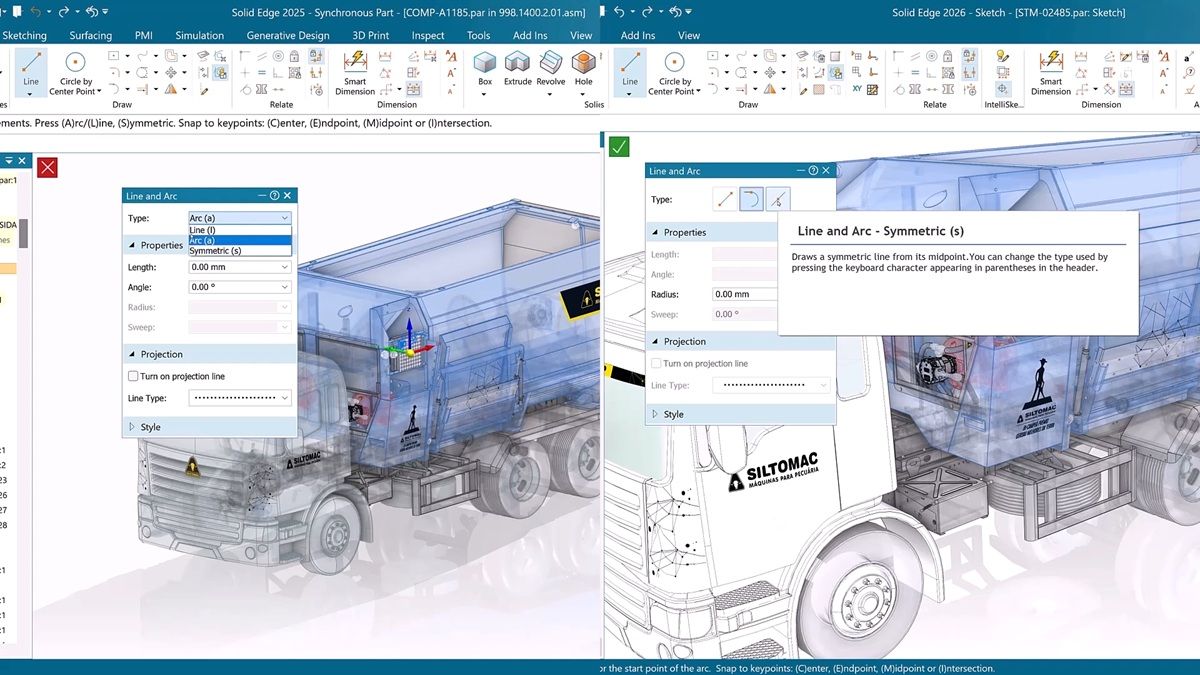
    Dan Staples: The Dark Theme was a hit during beta testing. We have also added undo/redo for show/hide, a more flexible Parts Library, and redesigned command bars for faster modeling. Preferences now follow users across devices via the cloud, and Copilot helps adjust settings on the fly.

    How is licensing evolving?

    Dan Staples: With Value-Based Licensing, teams can unlock advanced capabilities using tokens - giving them flexibility without long-term commitments. It’s a scalable toolkit that grows with users' needs, so instead of committing to every add-on up front, they can use tokens to unlock advanced capabilities on demand. Think of it as a flexible toolkit with the freedom to explore powerful options without a long-term commitment, all while keeping budgets predictable.

    Is there anything else engineers should be exploring?

    Dan Staples: Absolutely - don’t miss Designcenter NX X Essentials. It’s our browser-based CAD solution that makes designing, collaborating and delivering easier than ever. Engineers can log in from anywhere, upload files, and start working immediately - no local installation required.

    It should be clear that this release of Designcenter Solid Edge is all about empowering engineers with smarter tools, greater flexibility, and a more immersive experience – all backed up with true innovations that are bringing the power of AI to the design, engineering and manufacturing software world.

    sw.siemens.com/en-US


    [advertisement]