


Shaft Editor Now Optimized in KISSsoft
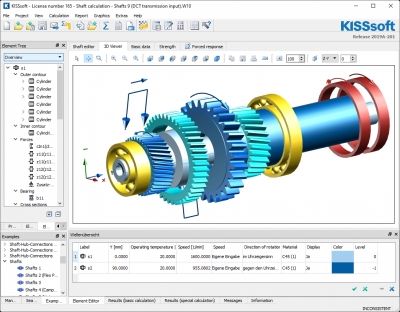
In the KISSsoft Release 2019, the shaft editor is extended and its handling optimized (WPK module). A new tab "3D-Viewer" has been added in which the shaft, including the forces etc., can be displayed immediately during modeling. In addition, the toolbar has been expanded to complement the general context menu: the most important settings of the user interface are now directly available - for example, the moving of forces and bearings. Within the editor, shafts can now be selected with a mouse click and relocated with all associated elements.
In order to simplify the handling of the display layers for complex models in the shaft editor, the functions "Bring frontward" and "Send backward" have been integrated into the context menu of the shaft. The layers can also be edited via the newly added "Layer" column in the "Shaft overview" (displayed in the "Element editor" window when clicking on the empty area of the element tree). Additionally, an editable column "Color" has been added.